To receive different types of event data from your Orkap app, you can use an outgoing webhook.
In short, generate a GET webhook URL in your system where you'd like to receive data from Orkap. Then copy that webhook URL and paste it inside the Orkap outgoing webhook.
Add a New Outgoing Webhook
- Navigate to Orkap > Settings > Webhook > Outgoing > Create Outgoing Webhook
- This will open the configuration options
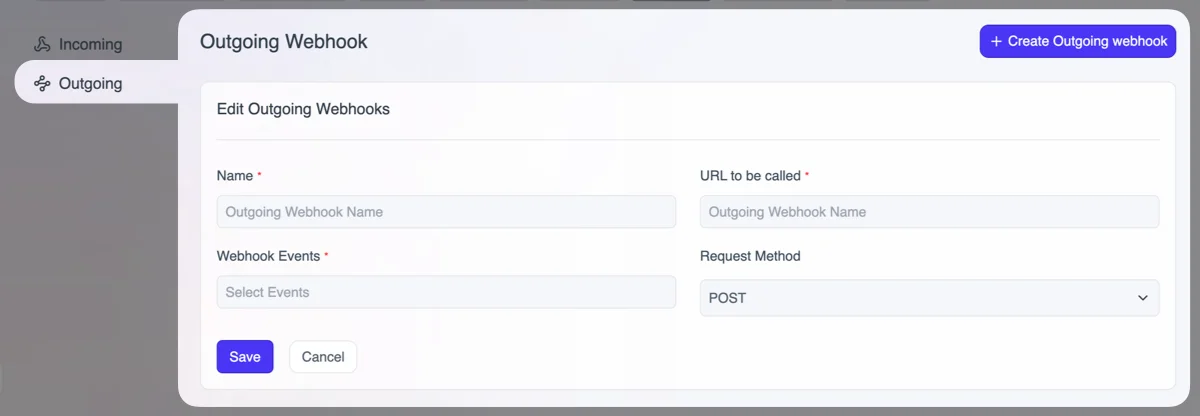
- Input your:
- Webhook name
- Webhook URL
- Select events
- Choose request method as POST
For example, if you select the "Contact Added" event, when a contact is added to your Orkap dashboard, it will trigger the event and push the data to your webhook.
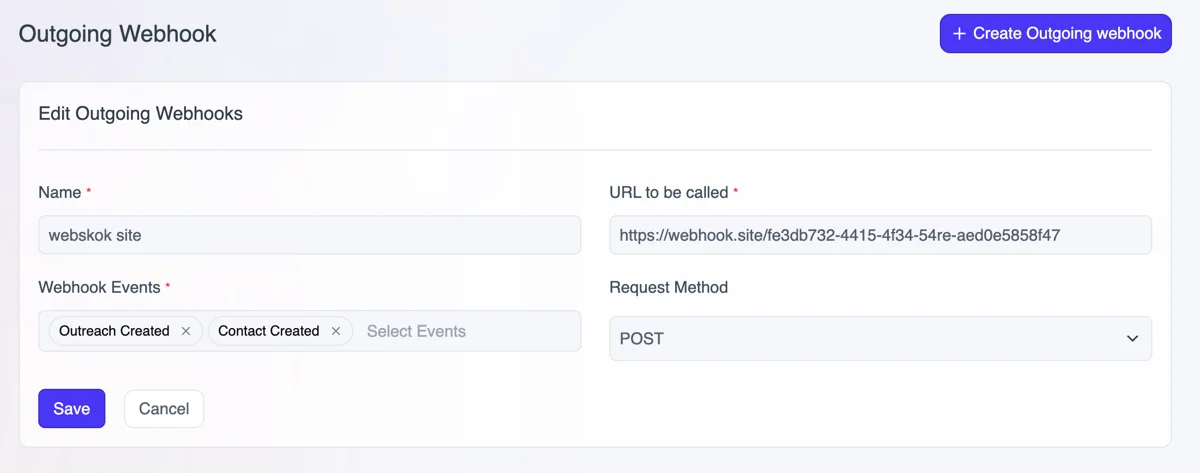
Testing the Webhook
For testing, add a demo webhook URL and add a contact in your Orkap app. As soon as you add the contact, it will push the data to the webhook in JSON format.
Example of Contact created response
{
  "contact": {
    "id": "cnt_ywcfaiu6",
    "first_name": "jon",
    "last_name": "doe",
    "email": "[email protected]",
    "phone": null,
    "website": null,
    "notes": null,
    "timezone": null,
    "segment_id": "seg_tnvwi73y",
    "automation_id": null,
    "created_at": "2025-08-16T11:37:18Z",
    "updated_at": "2025-08-16T11:37:18Z",
    "avatar_url": null,
    "outreaches_count": 0,
    "segment_name": "Influencer",
    "custom_field_entries": [
      {
        "id": "cfe_vqijudd2",
        "value": "https://wpadminify.com/",
        "custom_field": {
          "id": "cfd_fq3a27j7",
          "name": "Website URL",
          "slug": "website_url"
        }
      },
      {
        "id": "cfe_h9fgjg54",
        "value": "89",
        "custom_field": {
          "id": "cfd_3gjqp5em",
          "name": "domain authority",
          "slug": "domain_authority"
        }
      },
      {
        "id": "cfe_hqqb7ctu",
        "value": "59",
        "custom_field": {
          "id": "cfd_2zi7awun",
          "name": "page authority",
          "slug": "page_authority"
        }
      },
      {
        "id": "cfe_ix8x7dhk",
        "value": "no",
        "custom_field": {
          "id": "cfd_yw3867kp",
          "name": "inactive user",
          "slug": "inactive_user"
        }
      }
    ]
  },
  "event": "contact_created",
  "timestamp": "2025-08-16T11:37:18Z"
}
Events for Outgoing Webhook
Orkap sends different types of data based on events. All supported events are:
- Contact Created
- Contact Updated
- Contact Deleted
- Outreach Created
- Outreach Updated
- Outreach Deleted
- Outreach Concluded
- Outreach Abandoned
- Outreach Delivered
- Outreach Response Received